
Manage Projects
in One Place
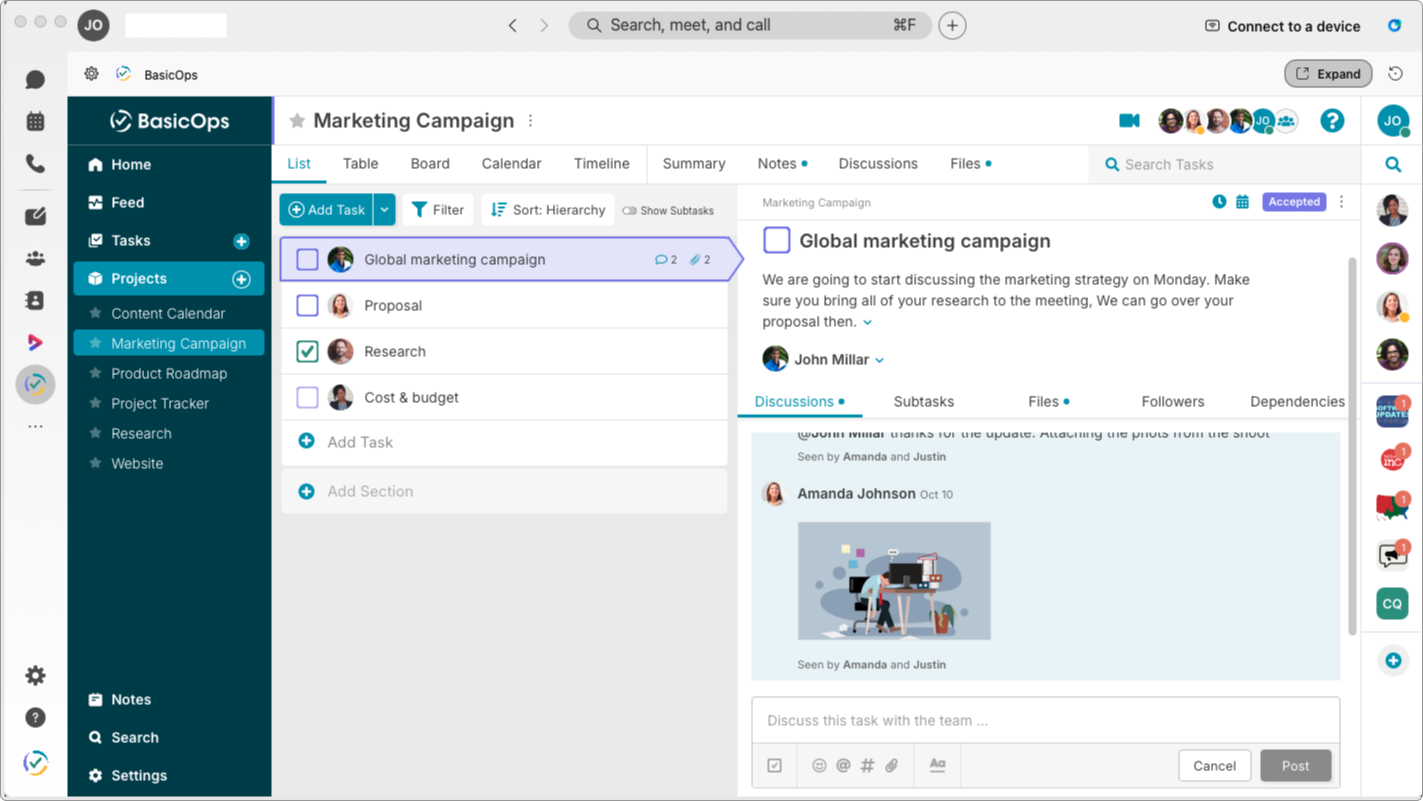
BasicOps connects projects, tasks, conversations, notes, and files so teams can plan, discuss, and deliver in one workspace. We’ve integrated with Webex from the beginning to augment your Webex-based workflow with the best-in-class chat and project management system.
Designed to work seemlessly with Webex Spaces
With BasicOps for Webex Spaces you can...
Transforms your space into a hub for task management and team coordination
The BasicOps bot for command execution and real time task management
Lives directly in your sidebar for easy access without leaving Webex
Chat, instant meetings, and many more BasicOps features
Recent Product Updates Since Your Last Trial
Custom Fields
Customize the data used and displayed on tasks by adding custom data fields specific to your business or workflow enabling greater flexibility and consistency with how you work.
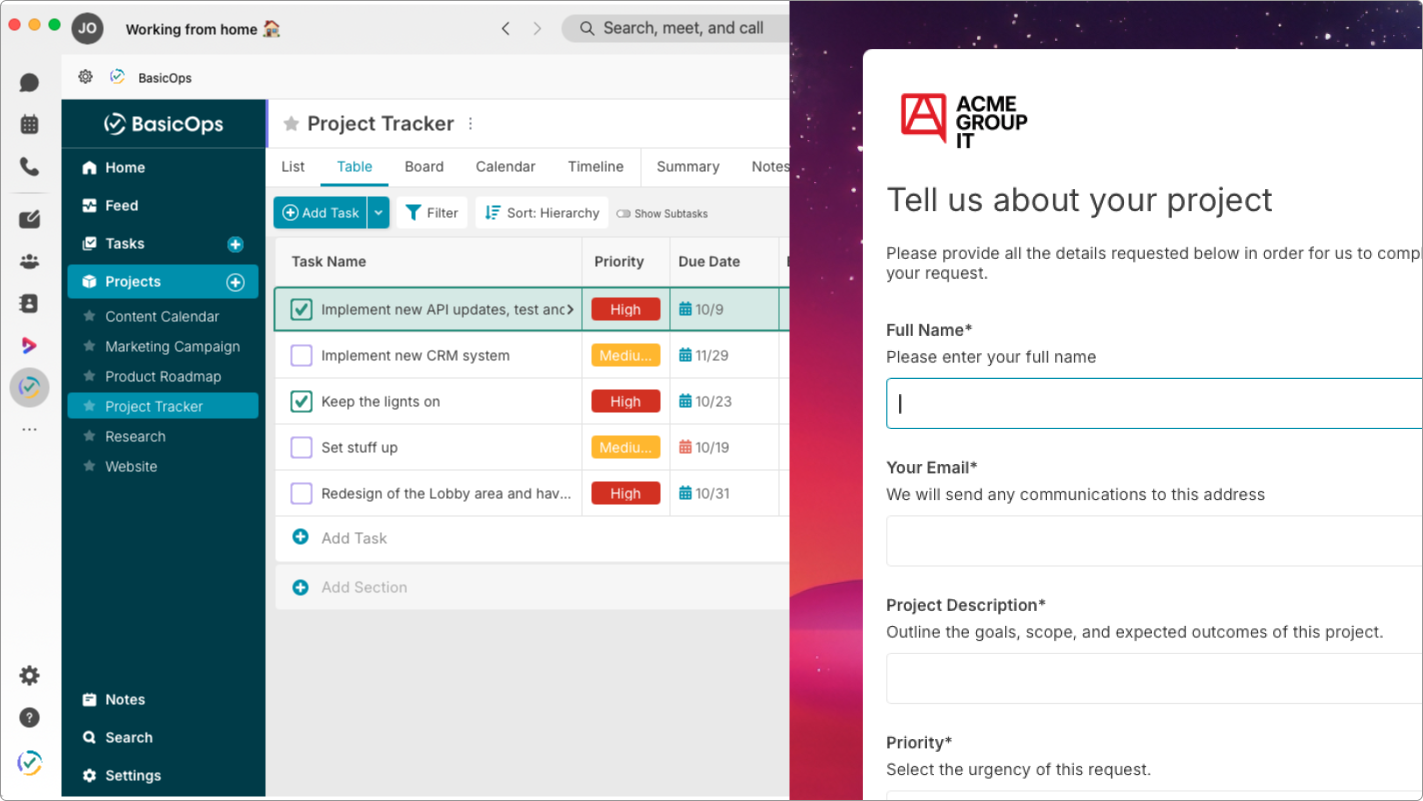
Forms
Capture requests, ideas, and feedback in one structured flow. Customizable form submission turns into a task automatically, keeping input organized, visible, and actionable.
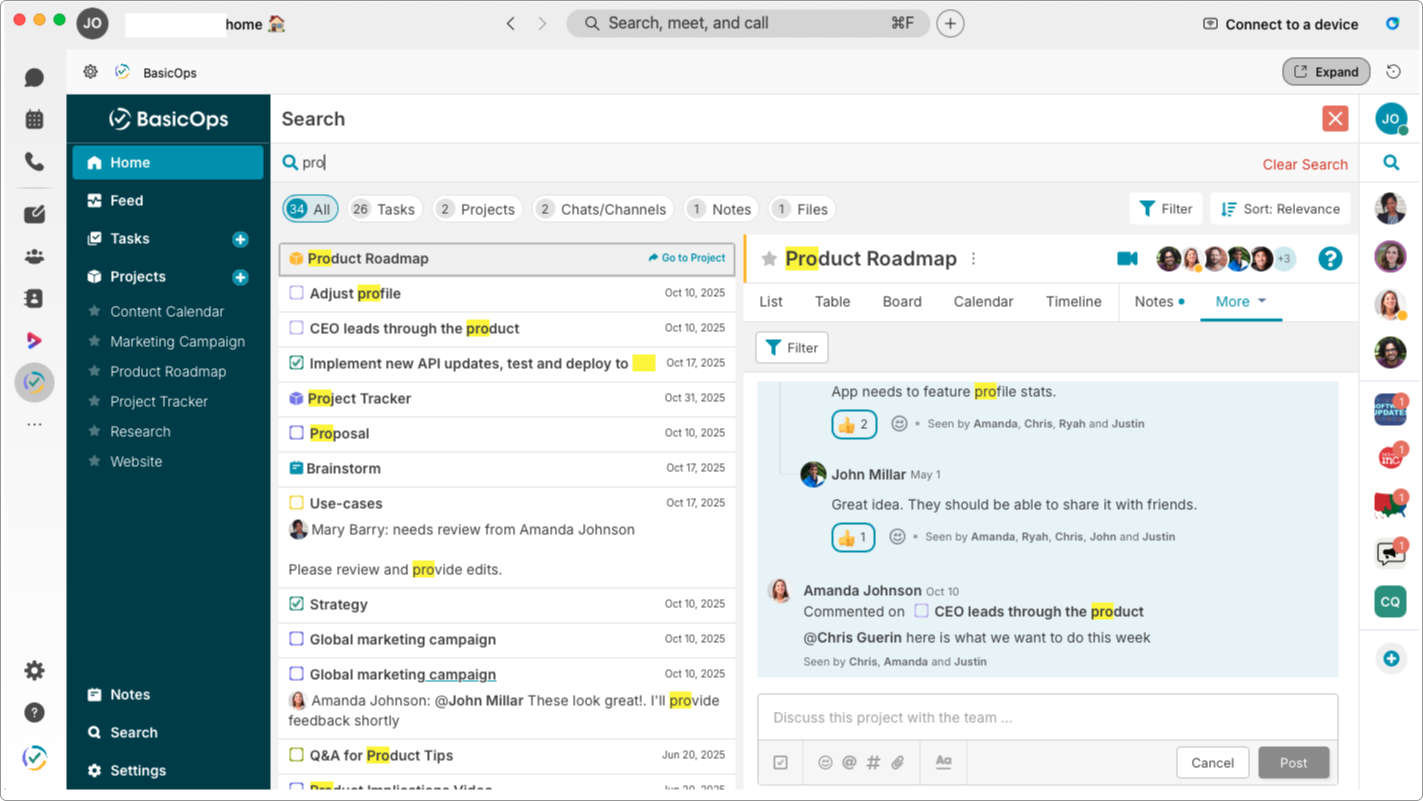
Comprehensive Search
Find anything across your data, including tasks, projects, notes, forms, files (with content), comments, and replies in chats and channels and navigate or reference directly in context
Frequently Asked Questions
-
BasicOps brings project management right into Webex. You can manage tasks, notes, and files directly inside your meetings or spaces — without switching apps.
-
From Webex, go to the Apps tab, search for BasicOps, and click Add. You can then log in or start a free trial to connect your workspace instantly.
-
Yes — BasicOps gives you full access to your projects and tasks inside Webex Spaces, Meetings, and the Sidebar. You can view, create, and update work in real time.
-
The BasicOps Bot lets you create tasks, link projects, check status, and get notifications — all through simple commands like @basicops add task or @basicops link project.
-
During meetings, you can open BasicOps to take notes, turn ideas into tasks, and assign action items instantly — so nothing gets lost after the call ends.
-
The Sidebar keeps BasicOps always at your fingertips. You can track tasks, manage files, and collaborate — even while chatting or in a meeting.
-
If you want BasicOps in the Sidebar, your Webex admin will need to enable it in the Control Hub. For Meetings or Spaces, you can add it yourself.
-
The BasicOps Bot automatically posts updates when tasks are added, completed, or changed — keeping everyone aligned without extra messages.
-
Absolutely. Everyone in your Webex Space can access the shared BasicOps workspace, collaborate on tasks, and stay synced in real time.
-
Because everything happens in one place — chat, meetings, tasks, notes, and files. No app-hopping, no missed details, just seamless collaboration.

What Teams are saying

BasicOps is working great for our in-house Marketing team. As new projects and tasks come in via Gmail they are easily added to BasicOps, assigned to a team member, and keep everyone on track until completion.
–– Cindy Abdoo, Marketing & Digital Production Manager at Checker Distributors